Managing Partner Commission Invoices
Written By Wilbert Averil
How Are Partner Commission Invoices Generated?
Partner commission invoices are generated in several key scenarios:
Referral acceptance: When a referral, under an introduction fee commission structure, is successfully accepted.
Deal success: When a deal, operating under a success fee commission structure, is successfully won.
Meeting confirmation: When a meeting is accepted and confirmed.
Each invoice provides comprehensive details, including:
Invoice status: Indicates whether the invoice is currently pending or has been paid.
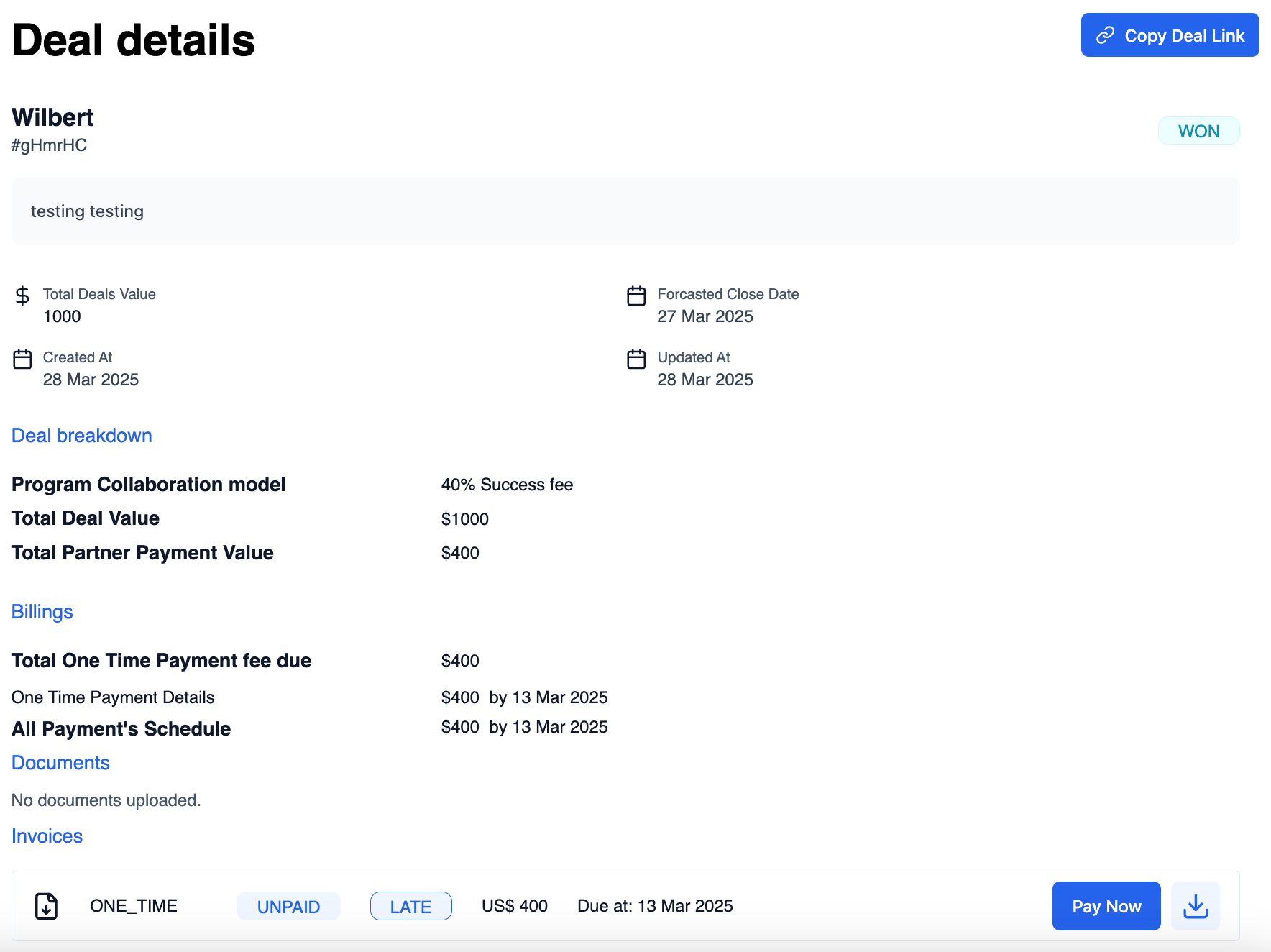
Invoice information: Includes your company's details, the partner's details, the commission amount, the date the invoice was created, and a description of the offer.
Managing Your Invoices
The partner commission invoice is visible on the Manage Invoices page. On this page, you will be able to:
View a list of all commissions to be paid out
Review commission details such as customer information, the created date, and the commission amount
Download partner commission invoices
Pay invoices
To view details about an invoice:
Navigate to the Pending Invoices page
Click View next to your desired invoice
To download this invoice, right next to View, select Print and choose Print to PDF.

To pay an invoice:
Navigate to the Pending Invoices page
Click Pay next to your desired invoice, which will direct you to the details of the associated deal
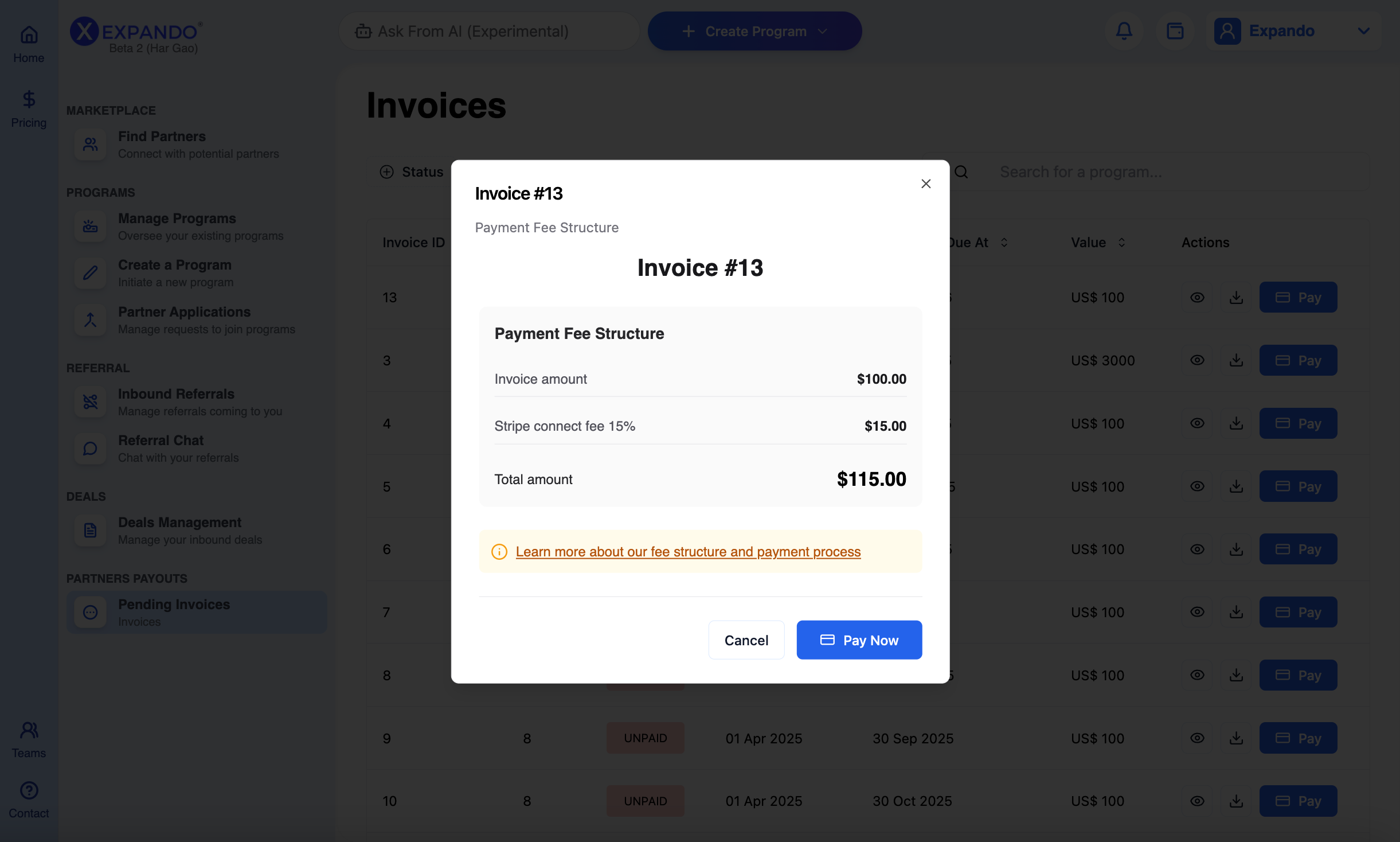
An invoice will pop up with the payment details. Then, click Pay Now.
You shall have access (i.e. view and/or download) at any time, to all your actual and previous invoices related to partner commissions on the Pending Invoices page.
Still need help? Share an idea