How to Register and Track Deals
Written By Wilbert Averil
As a partner, you play a key role in driving growth. Deal registration allows you to log opportunities you are actively working to close, ensuring you get credit for your efforts and full visibility into your potential earnings.
This guide covers how to submit deals, track their progress, and understand the approval process.
Why Register a Deal?
Registering a deal is more than just administrative work—it protects your pipeline and ensures you get paid.
Pipeline Visibility: Gives both you and the vendor a clear view of active opportunities, ensuring nothing slips through the cracks.
Commission Clarity: Once a deal is approved and closed, commissions are automatically calculated based on the program’s structure, giving you full visibility into your earnings.
Conflict Prevention: Early registration alerts the vendor if a prospect is already being worked on, saving you time and effort.
How to Register a Deal
To register a deal, follow these steps:
On the left sidebar, click Inbound Referrals
Find the referral you want to make a deal out of and click on it
Click Add Deal
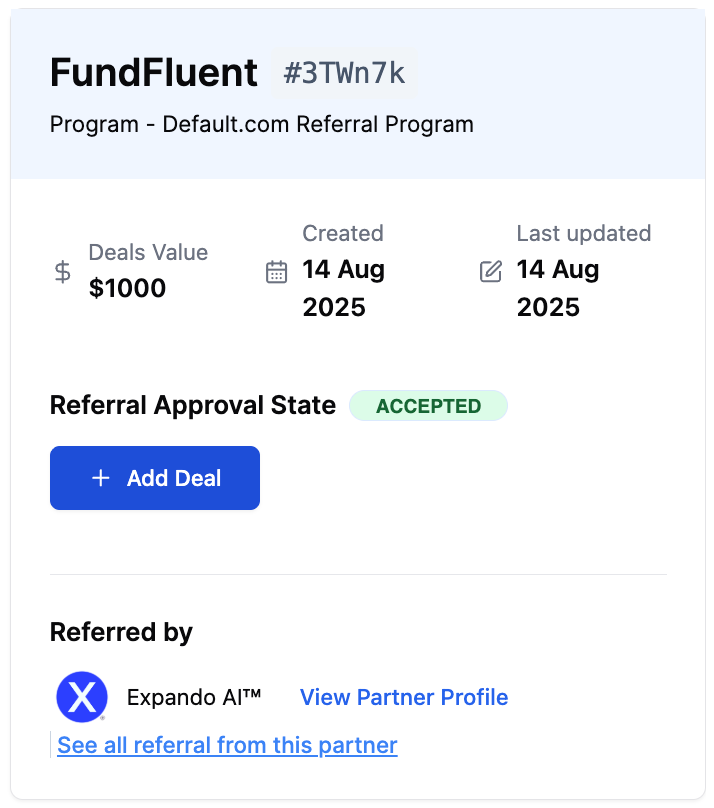
You will then find a modal on the right side of your screen with the following inputs:
Deal Name: The name of the prospect company or specific project (e.g., "Acme Corp - Q3 License").
Content of Services: A brief description of what is being sold or the scope of work.
Deal Total Value: The total monetary value of the deal in USD.
Partner Commissions: Either set a one-time commission or recurring commission, as agreed by both parties (the vendor and partner).
Upload Deal Proof: Drag and drop evidence such as signed contracts or invoices (Max 3 files, 5MB each).
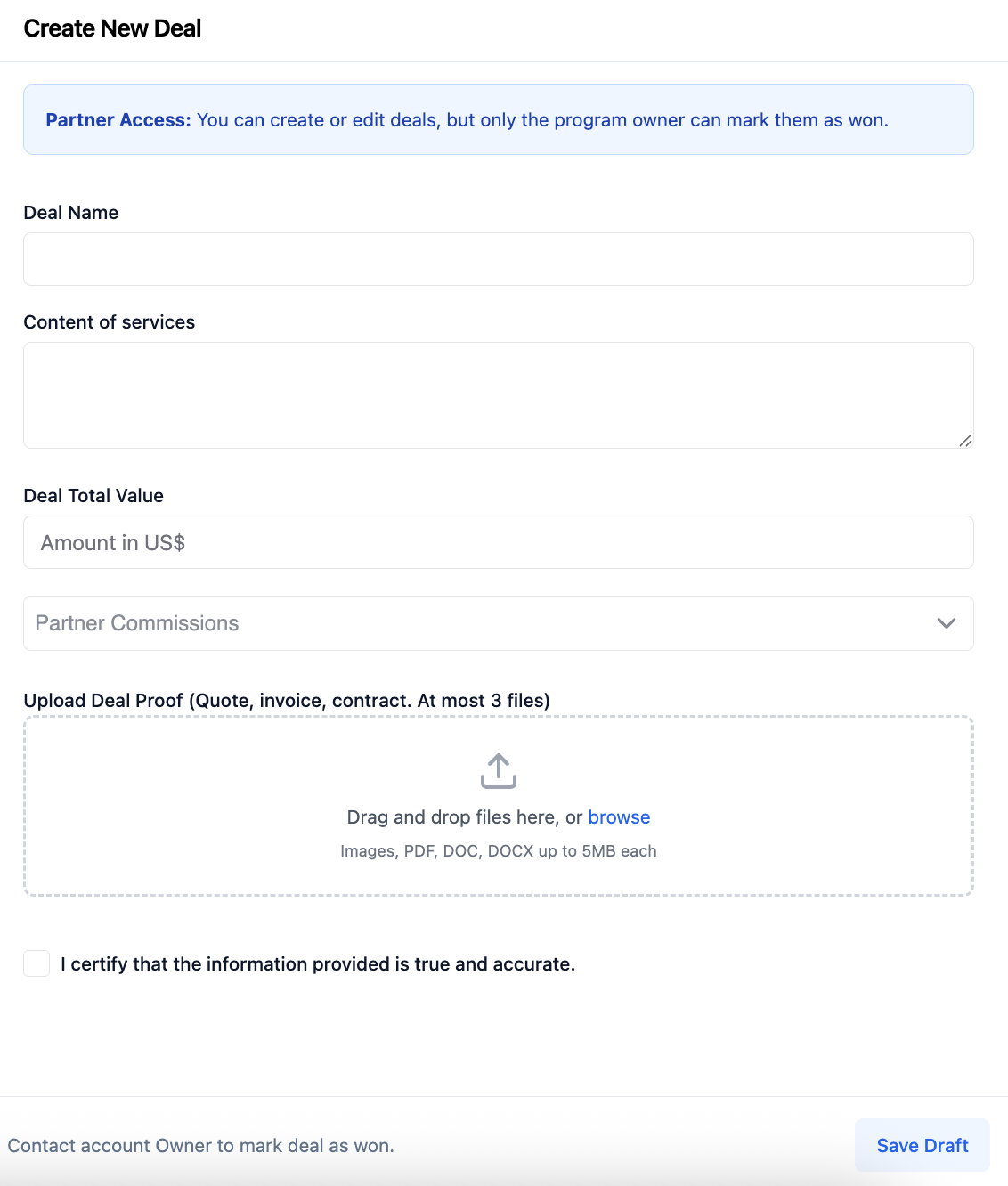
Note: You can create and edit deals, but only the Program Owner can mark a deal as "Won." Once you submit, the owner reviews the proofs and approves the final status, releasing your commission.
What’s Next?
Review & Approval: Once submitted, the deal is logged under Deal Registered as Negotiating, and the Program Owner will be notified to review the deal. The Program Owner makes the final approval of the deal.
If the deal is approved, the Program Owner will notify you and start collaborating with you on the deal. The deal will still be marked as Negotiating under Deal Registered.
If the deal is not approved (e.g., because the company is already working with this prospect), you will be notified so you don't waste time on an ineligible lead.
Tracking Progress: You can check the status of the deal under Deal Registered, and you can continue collaborating with the vendor to close the deal through Messages.
Closing & Commissions: When you or the vendor successfully closes the business, the deal status will be updated to Closed-Won. The vendor will receive a notification to approve the final close.
Once the deal has been won, the system will automatically calculate your commission, and you will find your payout associated with the deal under My Commission.
Read:
Still need help? Share an idea