Collaborating with Program Owners
Written By Wilbert Averil
While Expando AI™ provides the platform to manage your partnerships, each company you partner with is responsible for running its own program, approving deals, and paying commissions.
Once you have joined a program, your success depends on two things:
Having the right sales materials
Maintaining collaboration with the Program Owner that keeps deals running.
Accessing Resources
Most Program Owners upload assets to help you sell their product more effectively. These might include slide decks, one-pagers, email templates, or competitive battle cards.
To access these materials:
On the left sidebar, navigate to Joined Programs (or "Find Programs" to explore new ones).
Locate the specific partner program and click View.
Scroll to the Resources section of the Program Page.
Download the relevant files to support your sales pitch.
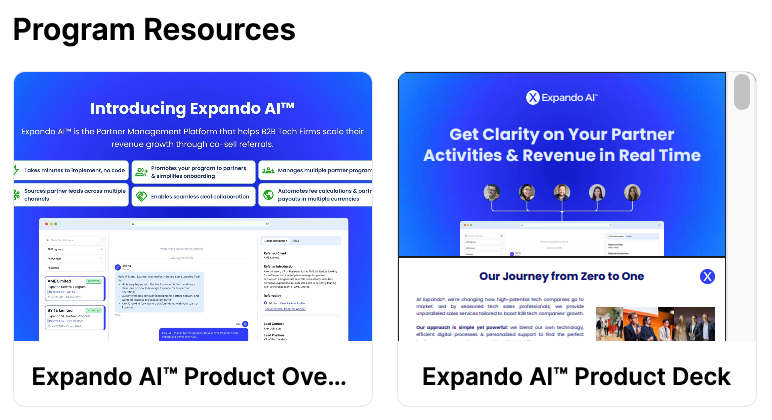
Note: Check this page before every major pitch. Program Owners frequently update these assets with new pricing or product features.
Working together on Deals with Program Owners
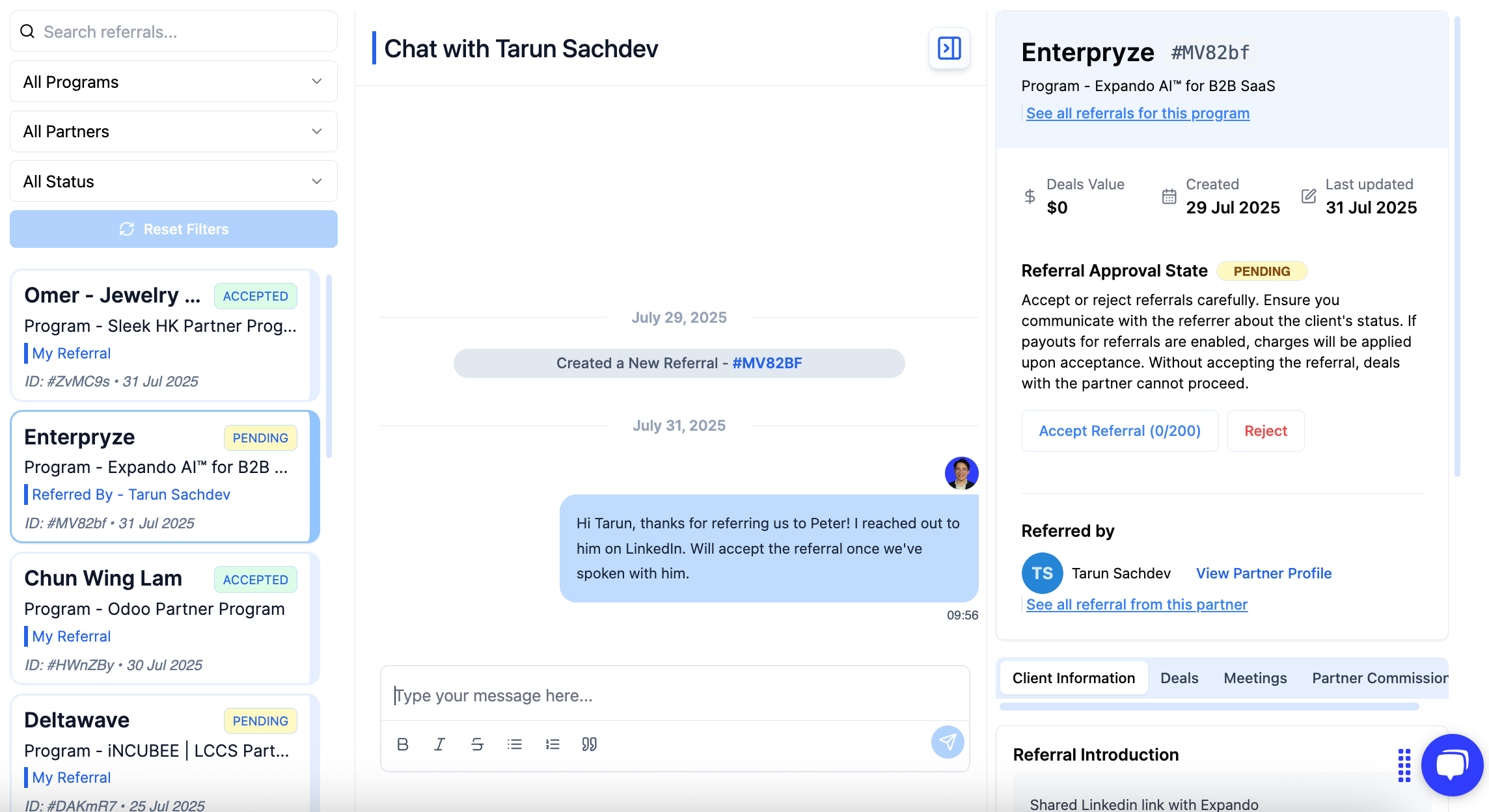
Messages is your direct line to the Program Owner. Instead of burying deal updates in email threads, this tool keeps all communication contextually tied to the specific deal or referral.
Why use the Collaboration Portal?
Real-time Visibility: See exactly when a Program Owner accepts your referral.
Unblock Deals: Ask questions, request pricing flexibility, or get help with technical objections.
Centralized History: Keep a permanent record of all conversations and file exchanges regarding a prospect.
How to Collaborate with a Program Owner
Click Messages on the left sidebar.
You will see a list of Accepted Referrals/Deals. (Note: You can usually only collaborate on deals that have been accepted by the owner).
Select the specific deal you want to discuss.
Use the chat interface to type your message or upload relevant files (e.g., a customized contract or customer requirements doc).
Tips for Collaboration Success
Be Proactive: Don't wait for the Program Owner to ask for updates. Use the chat to log "Meeting notes" or "Next steps" after you speak with the prospect. This proves you are actively working the deal.
Share Context: When messaging the owner, be specific. Instead of "Any update?", try: "The customer is asking for a case study on security compliance. Do we have one I can share?"
Check Notifications: Ensure your email notification settings are enabled so you don't miss replies from the Program Owner.
Now that you have the resources and the communication flow set up, it’s time to look at the reward.
Read: How Do I Get Paid?
Still need help? Share an idea