How to Make Referrals
Written By Wilbert Averil
In Expando AI™, a Referral (often called a lead) is a potential customer that you introduce to a partner program.
What is the difference between a Referral and a Deal?
Referral: You submit the contact info, and the company's internal sales team takes over to close the business.
Deal: You register the opportunity and you continue to manage the sales process until it closes.
When you submit a referral, you are essentially saying: "Here is a great prospect, please have your team contact them."
3 Ways to Submit a Referral
Expando AI™ offers flexible ways to log referrals, depending on where you are in the platform.
The "Create a Referral" Page (Direct Access)
This is the fastest method if you already know exactly who you are referring.
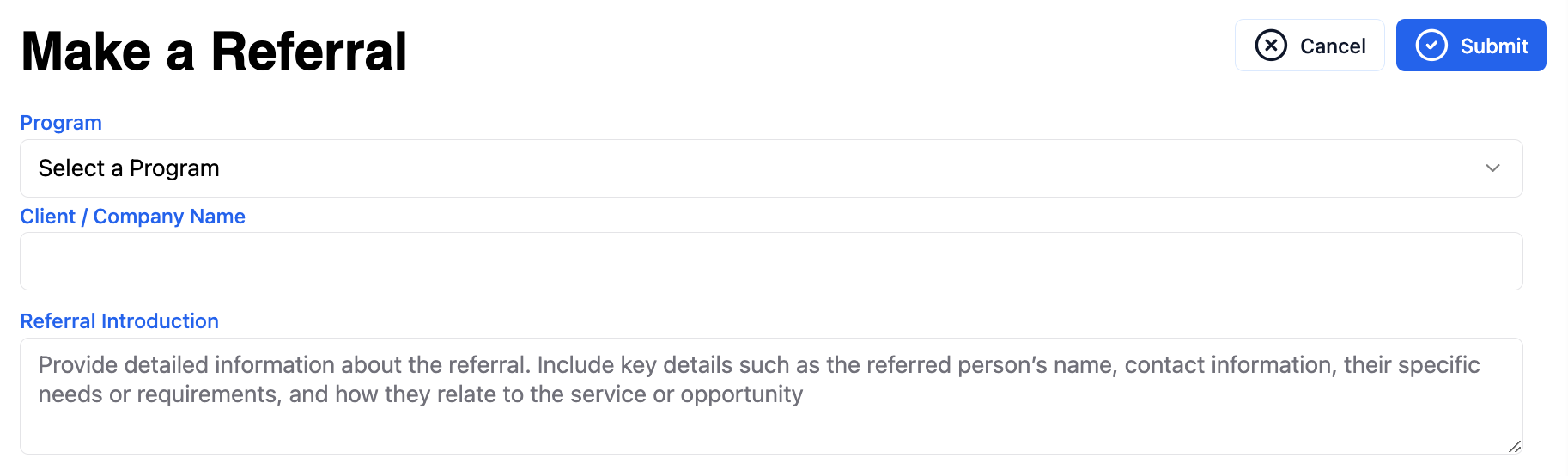
Navigate to "Create a Referral" on your sidebar.
Select the Program you are referring to.
Fill out the prospect's details.
Click Submit.
The Marketplace (For New Programs)
If you are browsing for new partnership opportunities, you can refer a referral immediately without navigating away.
Click Find Programs on the left sidebar.
Locate a program you are interested in.
Click the Refer button on the program card.
Complete the pop-up Referral Form.

The Program Page (For Specific Partners)
If you are looking at a specific partner's resources or details:
Go to Joined Programs and click View on the specific partner.
Click the "Make a Referral" button (usually located near the top or on the "Referrals" tab).
Fill out the form.

How to Get Your Referrals Accepted
The Vendor (Program Owner) has to review and accept your referrals before you can earn a commission. To ensure acceptance:
Check for Duplicates: Ensure the company isn't already a customer.
Warm up the Referral: "Cold" leads are often rejected. It is best if the prospect knows you and expects to hear from the vendor.
Provide Context: Use the "Notes" or "Description" field to tell the sales team why this prospect is a good fit (e.g., "They are looking to replace Salesforce next month").
What Happens After You Submit?
Once you click submit, the ball is in the Program Owner’s court.
Pending: The referral is sent to the Program Owner for review.
Accepted/Rejected:
If Accepted, the internal sales team begins working on the lead.
If Rejected (e.g., duplicate lead), you will usually receive a reason why.
Archived: The referral is not prioritized in the meantime.
You can track the status of the lead (e.g., "Pending," "Rejected," "Accepted", “Archived”) under Referrals Submitted.
Next Steps
You've logged a referral—now keep it moving. Even though the sales team is working on the lead, your input can help.
Read:
Still need help? Share an idea