Inviting & Managing Partners
Written By Wilbert Averil
As a Program Owner, the Partner Applications page is your central hub for growing your ecosystem. From here, you can review incoming applications, invite existing partners to join Expando AI™, and manage your current partner list.
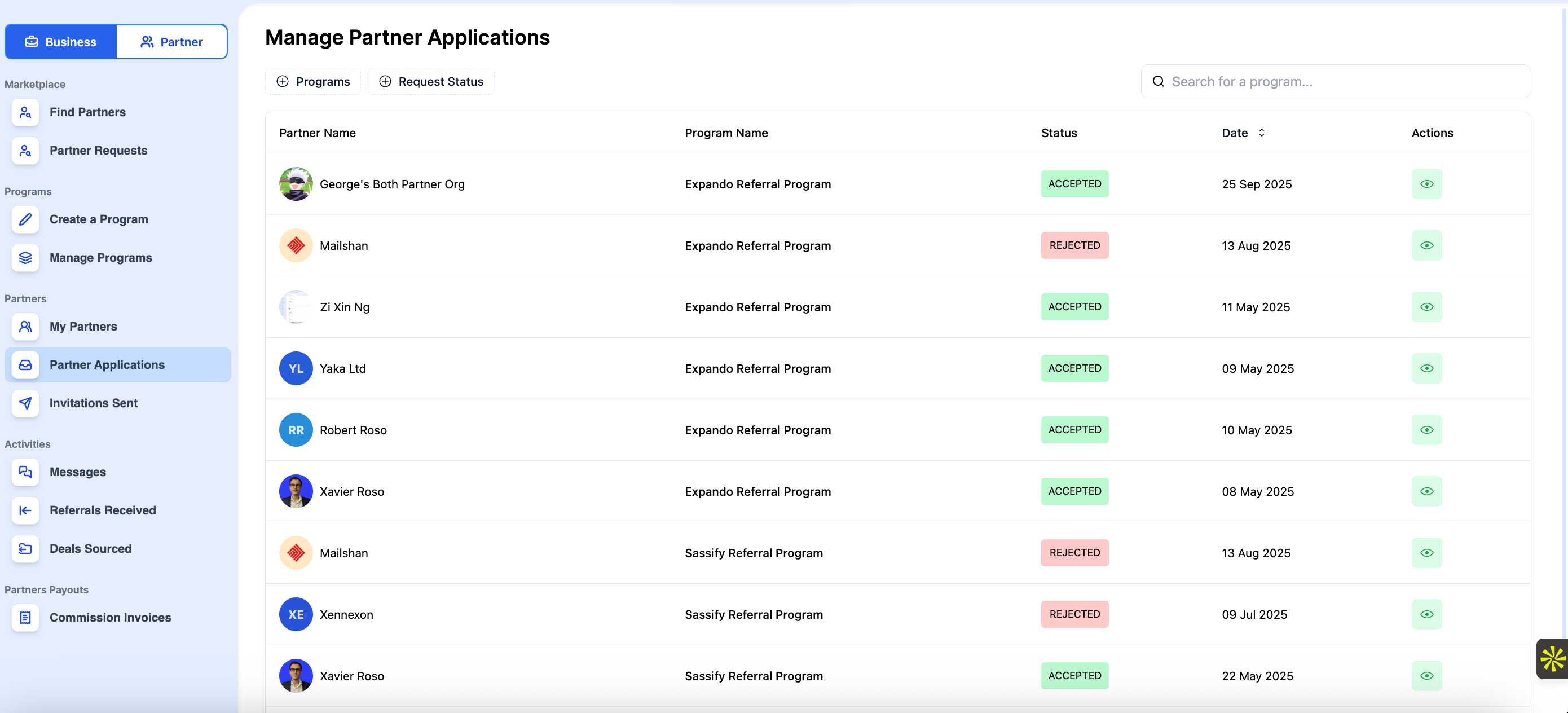
Reviewing Inbound Applications
Once your program is published to the Marketplace or your landing page is live, partners will start applying. You will be automatically notified (via email or platform alert) whenever a new partner applies to join your program.
To process these applications:
Navigate to Partner Applications on the left sidebar.
Review the list of applicants. You can click on a specific partner to view their Profile and assess if they are a good fit for your business.
Take action:
Accept: Click Accept. The status will change to "Accepted," and the partner will gain access to your program. They can access resources, create referrals/deals, and collaborate with you to bring deals to a close.
Reject: Click Reject. The status will change to "Rejected."
Inviting Existing Partners
If you have partners managing deals outside of Expando AI™ (e.g., via spreadsheets or email), you should invite them to the platform to consolidate your data.
To send an invitation:
Go to Partner Applications on the left sidebar.
Click Invite Partner in the top right corner.
A modal or form will appear. Enter the partner's details (email, name) and edit any specific fields as needed.
Click Update to dispatch the invitation.
Removing Partners
You may need to remove a partner due to inactivity, compliance issues, or a change in strategy.
To offboard a partner:
Go to Partner Applications.
Search for the partner you wish to remove.
Click Remove.
What's Next?
Now that you have successfully onboarded your partners, get your partners to send you referrals.
Read: What Are Referrals?
Still need help? Share an idea