How to Update Your Plan
Written By Wilbert Averil
Upgrading to a premium plan allows you to lower your Platform Fee, create more programs, receive more referrals, invite more partners, request more partners suggested by the Expert Team, and onboard more team members. You can also access dedicated support to help you grow your partner network by making the best use of Expando AI™.
Learn more about the available features on our plans. To check your subscription cost, head over to our Pricing Page.
How to Upgrade or Downgrade Your Plan
To upgrade or downgrade your plan:
Log in to Expando AI™.
Click on Pricing on the left sidebar. You will then be presented with the plans that Expando AI™ offers.
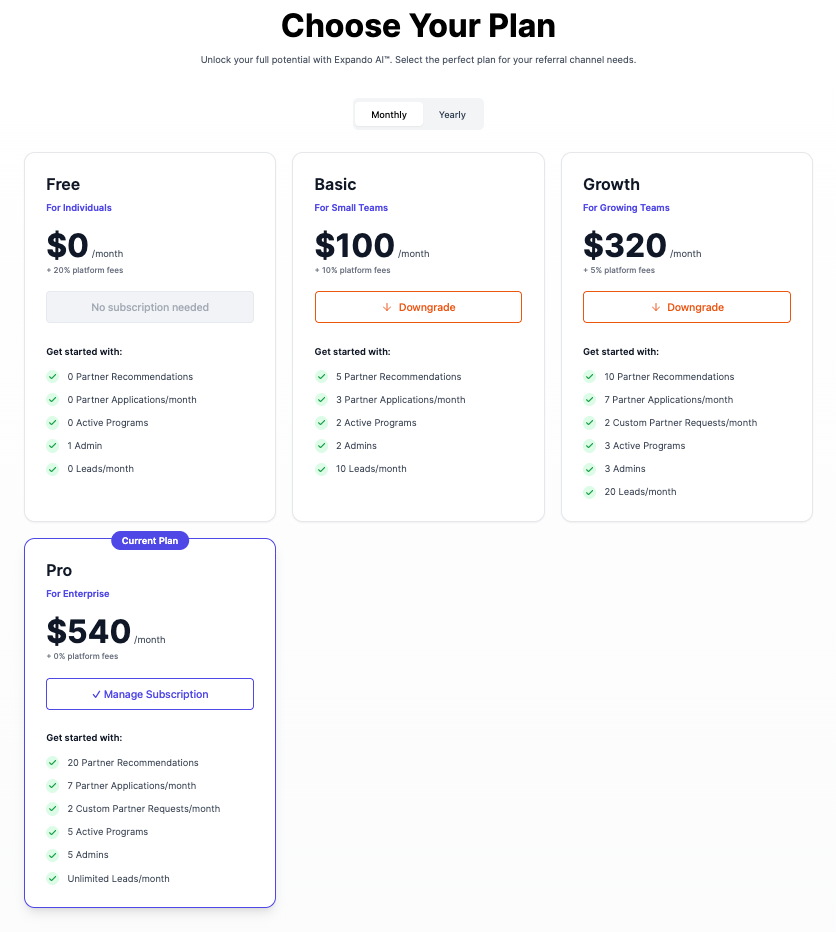
Select the plan that best suits your needs and click Subscribe.
Note: If you haven't already added your billing details and payment method, you'll be prompted to do so at this step. Simply follow the on-screen instructions to enter your information securely.
Follow the remaining steps to complete your purchase. You'll receive a confirmation once everything is processed.
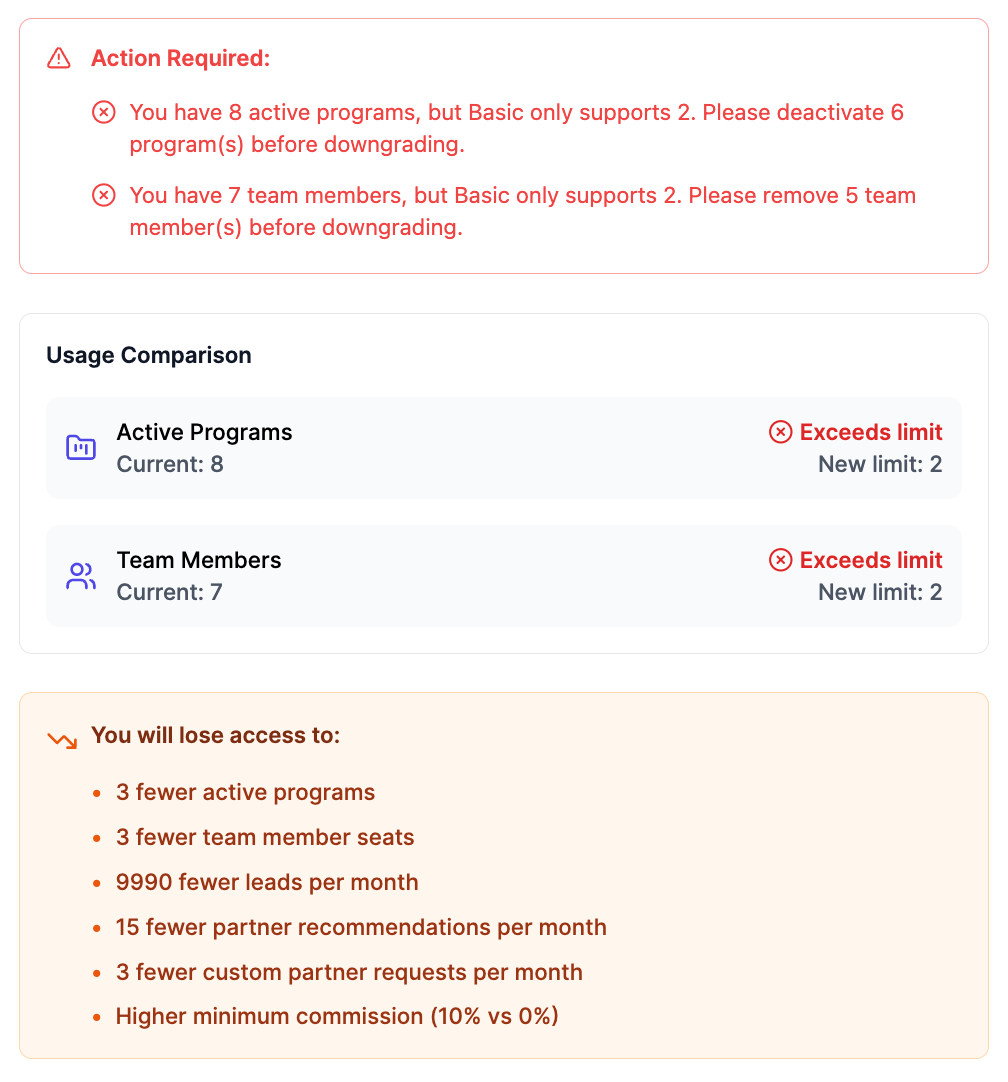
Note: When you downgrade, you will lose access to a multitude of perks. Also, before you downgrade, be sure to reduce the number of team members and active programs on your account to the new limit e.g. if you have 8 active programs and want to downgrade from Growth to Basic, you will need to delete 6 of your active programs, as the limit of active programs is 2 for Basic.
For the monthly plan, your billing cycle begins in the month you make your payment. For the yearly plan, your billing cycle begins in the year you make your payment.
Contact Us for Help
To assist you effectively, please email hello@expando.ai to let us know what issues you faced and include a copy of your invoice.
Still need help? Share an idea