What Are Referrals?
Written By Wilbert Averil
Referrals are the lifeblood of your partner program—they are introductions to qualified potential customers made by your trusted partners.
Expando AI™ provides a suite of tools (Referral Form, Messages, and Lead Insights) to help you track these leads, collaborate on closing them, and measure success.
Receiving Referrals
Partners submit leads using a standardized Referral Form accessible via their Dashboard, the Marketplace, or your Program Page. This ensures you get structured data (contact info, notes, etc.) every time.
Note: You don't need to constantly refresh your dashboard. Expando AI™ sends you an automatic notification (via email or in-app alert) the moment a new referral is submitted. These notifications allow you to review and act on hot leads immediately, keeping partners motivated and increasing conversion rates.
Reviewing and Qualifying Referrals
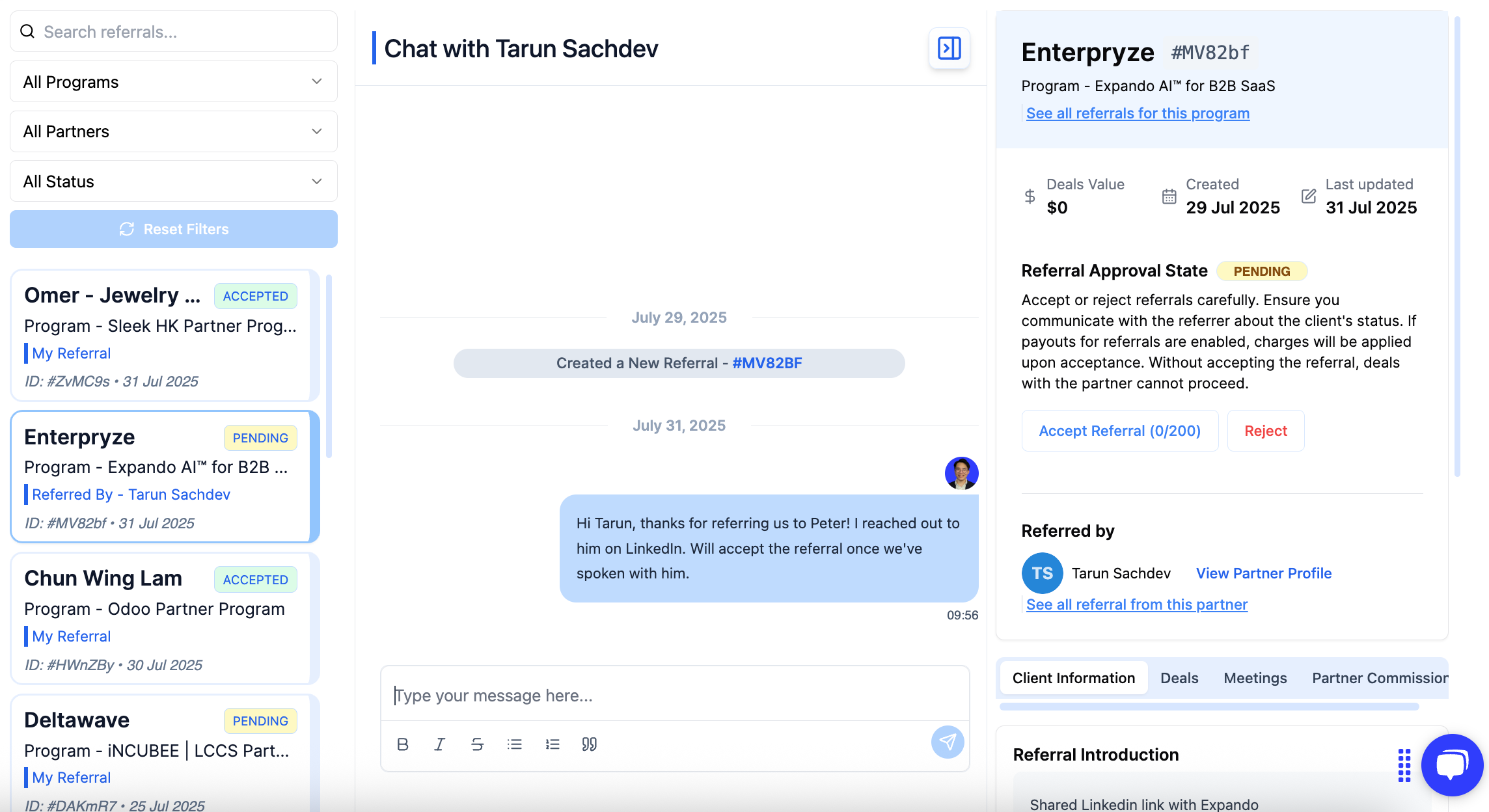
All new submissions appear on your Inbound Referrals page. By default, the status is set to Pending.
How to review and qualify referrals:
Navigate to Inbound Referrals on the left sidebar.
Review the lead details to determine if they fit your Ideal Customer Profile (ICP).
Take action:
Accept: Click Accept.
Reject: Click Reject if the lead is unqualified or a duplicate.
Note: If your program uses an "Introduction Fee" structure, accepting a referral automatically generates a commission invoice for the partner.
Co-Selling via Messages
When co-selling with your partners, it is essential to combine your expertise and your partners’ expertise, market reach, and customer relationships. This collaboration allows you to create a complementary solution that meets the customers' needs effectively.
Messages is the perfect tool for co-selling. It allows your team to work collaboratively with partners to close deals with a new customer or upsell a current customer.
With Messages, you and your partners are aligned on lead information to close co-sell opportunities faster.
How to collaborate with partners:
Click Messages on the left sidebar.
Select the specific Accepted Referral you are working on.
Type your message or upload files to start the conversation.
Note: You will be notified whenever a partner replies or sends a new message regarding a specific deal. This ensures you never miss a critical update or a question from a partner that could be holding up a deal.
Leveraging Referral Insights
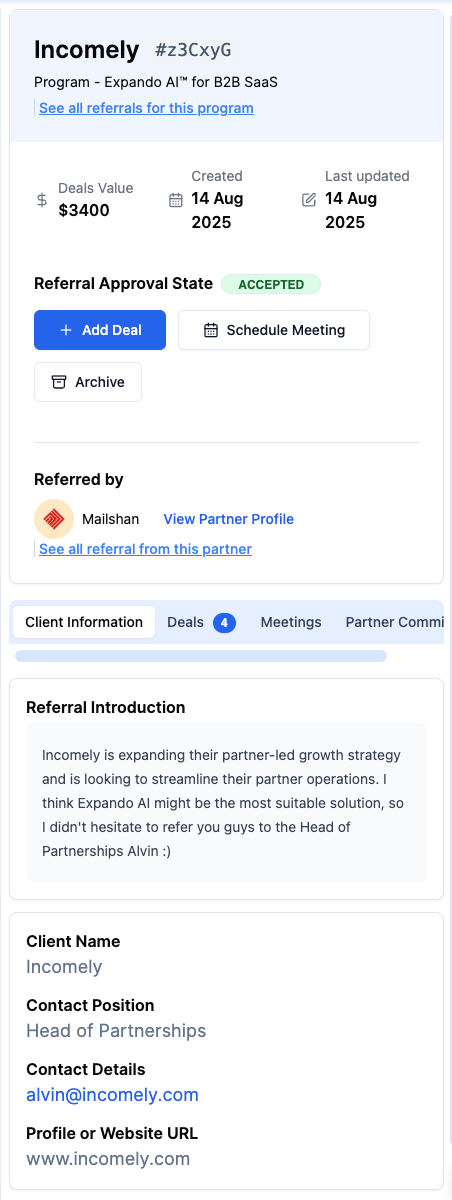
Before you pick up the phone to call a prospect, check Referral Insights. This section provides a snapshot of everything known about the lead, including:
Key Details: Contact person, title, and website.
Context: Referral notes from the partner (often the most valuable intel).
History: Associated deals and scheduled meetings.
Why use Insights?
Personalization: Tailor your pitch based on the specific notes the partner provided.
Efficiency: Avoid asking the prospect questions the partner has already answered.
To message a partner on a referral:
On the left sidebar, click Messages
Navigate through all your accepted referrals and select the referral you would like to collaborate on
Type your message to your partner to start the conversation
Archiving Old Referrals
To keep your pipeline focused on active opportunities, you should archive stalled or dead referrals.
To archive referrals:
Go to the Messages tab.
Select the referral.
Look for the Referral Approval State section on the right side.
Click the Archive button.
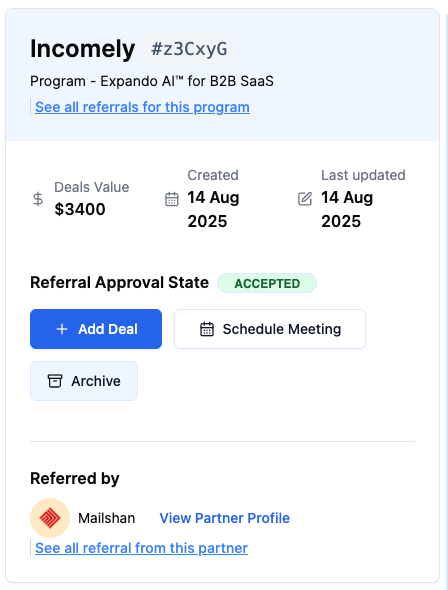
Under Referrals Received, you will find that the referral has been archived.

What’s Next?
Now that you have accepted a referral and aligned with your partner, it's time to create a deal out of the referral.
Read: What Are Deals?
Still need help? Share an idea