Cancelling Your Subscription
Written By Wilbert Averil
We’re sorry to see you go. Before you proceed, please contact hello@expando.ai to let us know what went wrong, and we will arrange a support call with you to address your concerns.
How to Cancel Your Subscription
Should you still wish to cancel your Expando AI™ plan, follow the steps below:
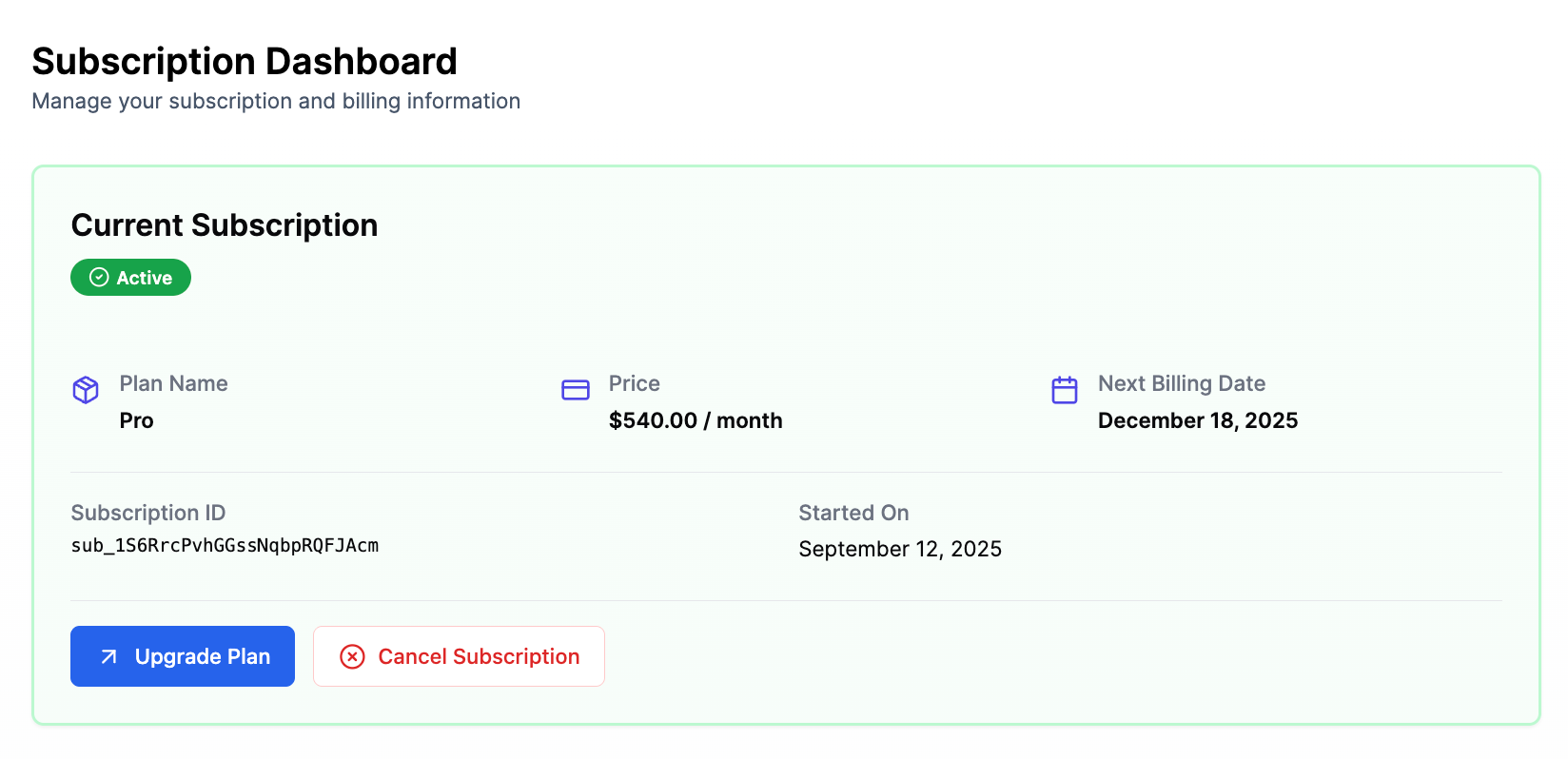
Go to Account.
Under the Subscription Dashboard, click Cancel Subscription.
Follow the prompts to complete the cancellation process.
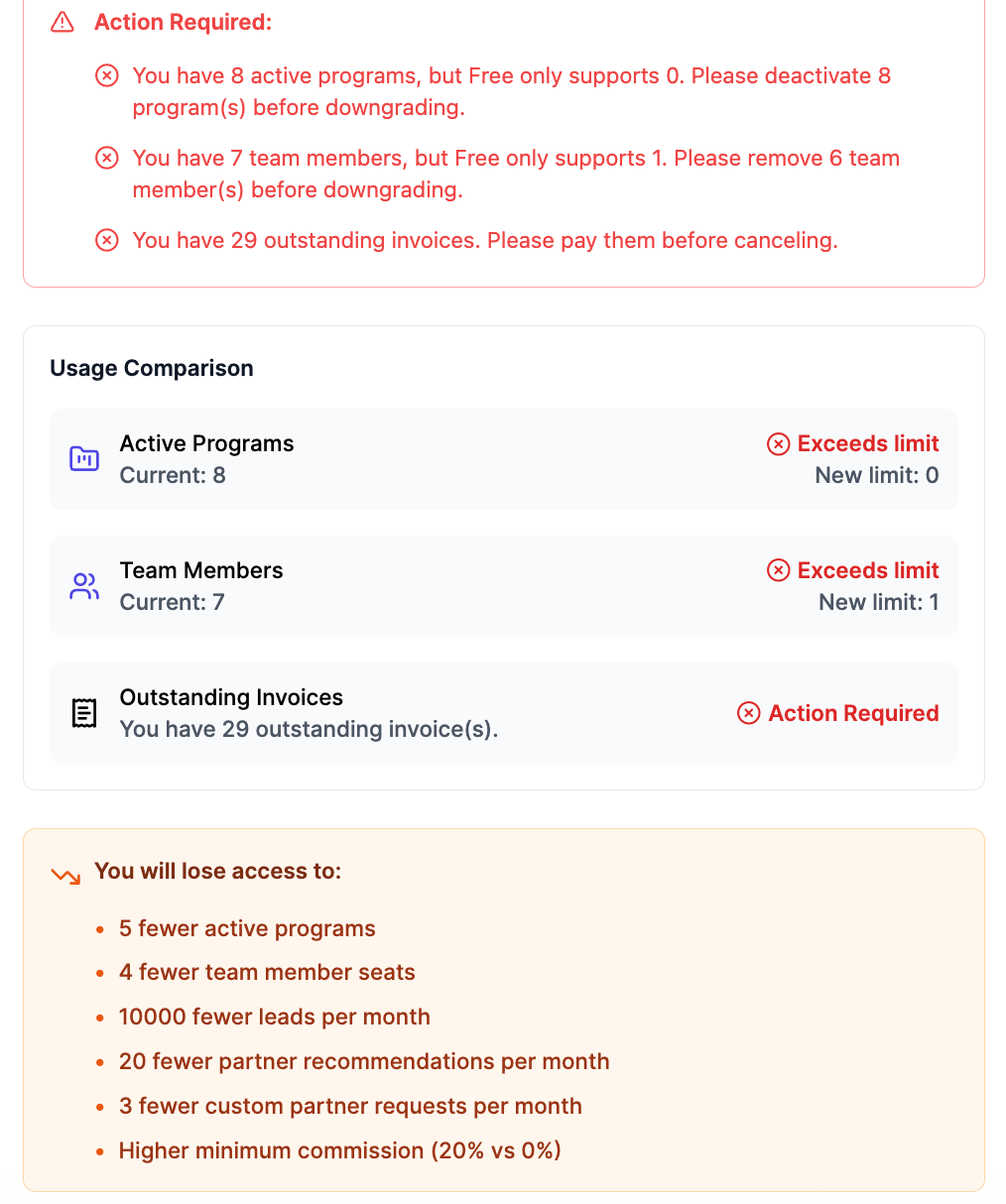
Note: When you cancel, you will lose access to a multitude of perks. Also, before you downgrade, be sure to reduce the number of team members, delete the active programs, and settle any outstanding invoices on your account.
What Happens after My Cancellation?
Once canceled, you’ll retain access to your Expando AI™ plan until the end of your current billing period, and you won’t be billed for this subscription in the next period.
Once your subscription has ended, you'll no longer be able to access a multitude of perks until you restart your subscription. You will still be able to see your previously stored information, as cancellation of your subscription will not delete any data.
Pausing a Subscription
If you ever need to stop your Expando AI™ subscription, please note that pausing is not an option. However, you can cancel your subscription by navigating to Account → Cancel Subscription.
The good news is that if you decide to rejoin the platform later, all your previously stored information will still be there. Canceling your subscription does not result in any data loss.
Contracts
If you're on a contract, you'll need to speak to your Success Manager about pausing or canceling your subscription.
Having Trouble Canceling Your Plan?
If you're experiencing issues canceling your Expando AI™ plan, consider the following:
Ensure you're logged into the right account and team.
Verify that your latest payment was successful. If there were any issues, resolve them before proceeding.
Contact Us for Help
To assist you effectively, please email hello@expando.ai to let us know what issues you faced and include a copy of your invoice.
Still need help? Share an idea